AI & Automation
7 Practical Ways Businesses Are Actually Using AI Automation
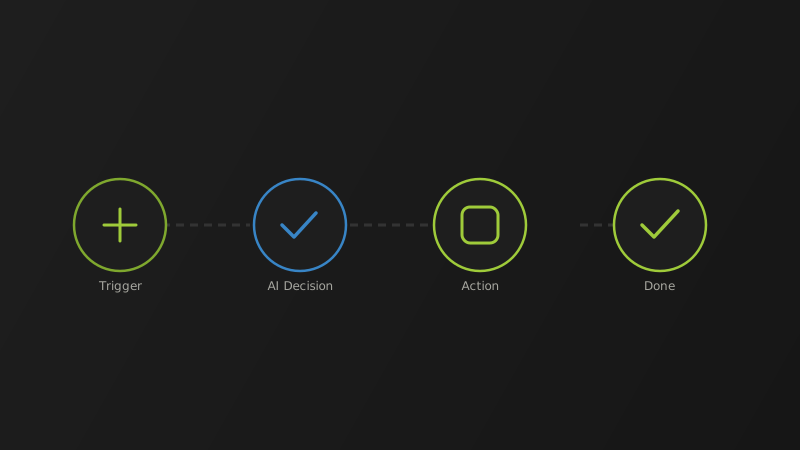
The gap between "AI automation" as a marketing phrase and AI automation as something that actually saves a business money has narrowed a lot. The businesses seeing real returns aren't running flashy, standalone AI experiments — they're quietly wiring AI into workflows they already run every day. Here's where that's actually working.
A new inquiry comes in, gets read, categorized, routed to the right person, and acknowledged automatically — often within seconds instead of hours. Response speed is one of the highest-leverage automations available, because businesses that reply first frequently win the work, independent of who has the better pitch.
AI-handled first-response support — answering common questions instantly and routing anything complex to a human — lets small teams offer effectively 24/7 coverage without the cost of round-the-clock staffing. The goal isn't replacing support staff; it's removing the repetitive 80% so people spend their time on the cases that actually need a human.
Chasing overdue invoices is exactly the kind of repetitive, low-judgment task automation handles well — reminders sent on schedule, escalation when needed, without someone manually tracking a spreadsheet of who owes what.
Turning a call recording or transcript into a clean summary with assigned action items used to be manual note-taking. Now it's largely automatic — and it means fewer dropped follow-ups.
Not final, publish-ready copy — draft acceleration. A first pass on product descriptions, email sequences, or social captions that a human then edits for accuracy and brand tone, instead of starting from a blank page every time.
Extracting structured data from invoices, forms, and receipts and routing it into the right system removes one of the most tedious categories of admin work — and one of the most error-prone when done manually at volume.
Instead of digging through shared drives for the right SOP or policy document, teams increasingly just ask — and get pointed to the right document, or a direct answer pulled from it.
The businesses getting real ROI from AI automation aren't the ones chasing every new tool. They're picking one high-friction, repetitive workflow, automating it properly, measuring the result, and only then moving to the next one. Most failed AI projects fail for boring reasons — messy source data, no clear owner, five overlapping tools that don't talk to each other — not because the underlying AI wasn't capable enough.
If you're not sure which workflow in your business is the highest-leverage place to start, that's usually the first thing worth figuring out before buying any tool. We help clients map that out as part of scoping an automation project.